STLTools is a free, open-source parametric STL generator for drones, RC planes, robotics, and the workshop. Pick one of 3,661 ready-made designs from 54 generators, change any size, see the print time and filament for your printer, and download watertight STL files that are already in print orientation. It runs as a small local server on your own computer. Nothing is uploaded anywhere.
This post covers the public release, v1.0.1 (November 6, 2026), on the main branch of opsecfreak/STLTools (Apache-2.0). There is also a separate MTS personal edition on the mts-personal branch with the shop’s own parts list; that is a pre-release line, and it is not what is covered here.
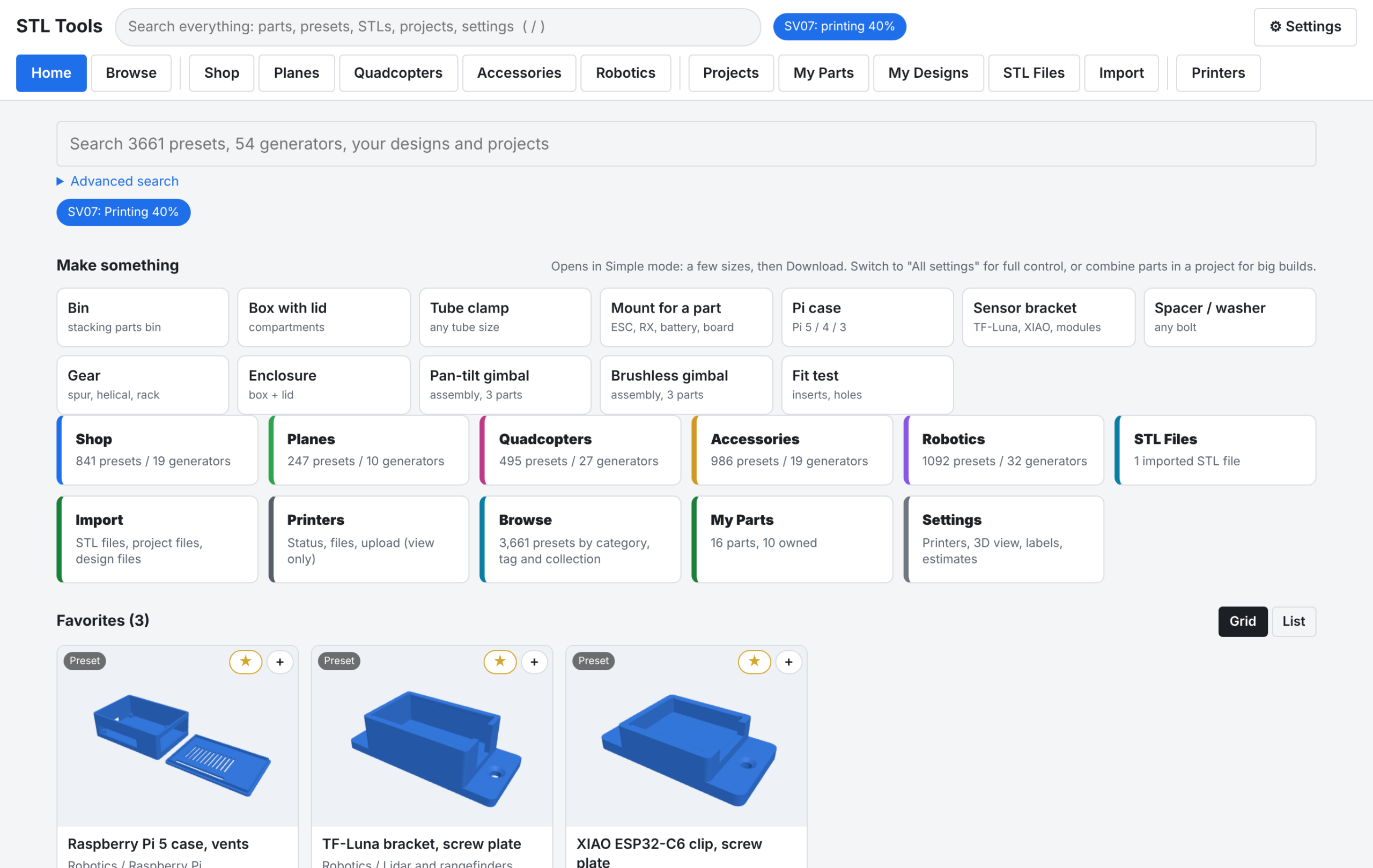
What it does
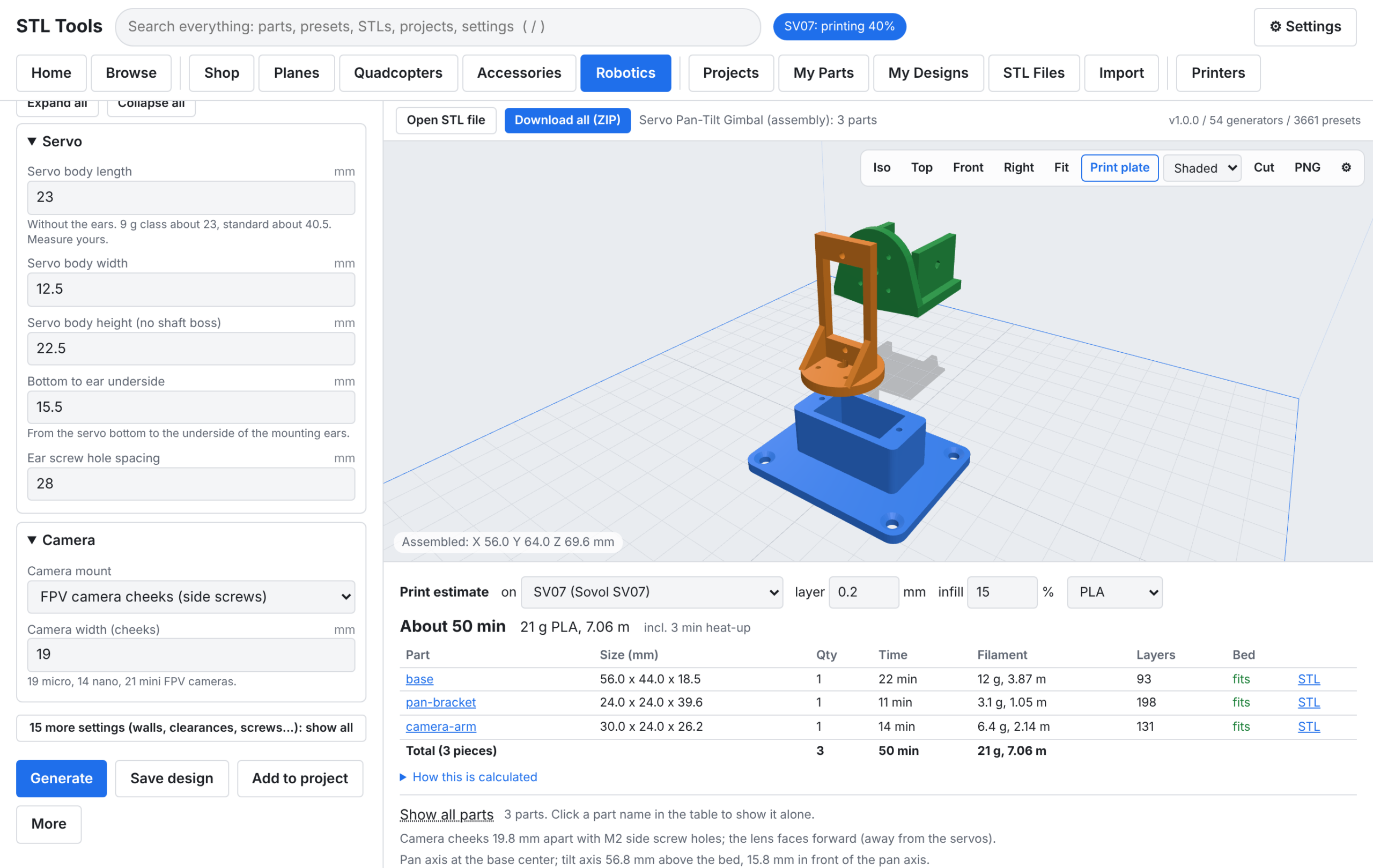
- Designer. Every size is a field. Simple mode shows the main sizes; All settings shows every wall, clearance, and screw. The live preview rebuilds the part as you type.
- 3,661 presets. Hand-made designs plus about 3,200 checked size series: clamps per tube size, spacers per bolt and length, gears, pulleys, 32 bearing sizes, cell holders, drawers, and more. Every series preset is generated and checked before it ships.
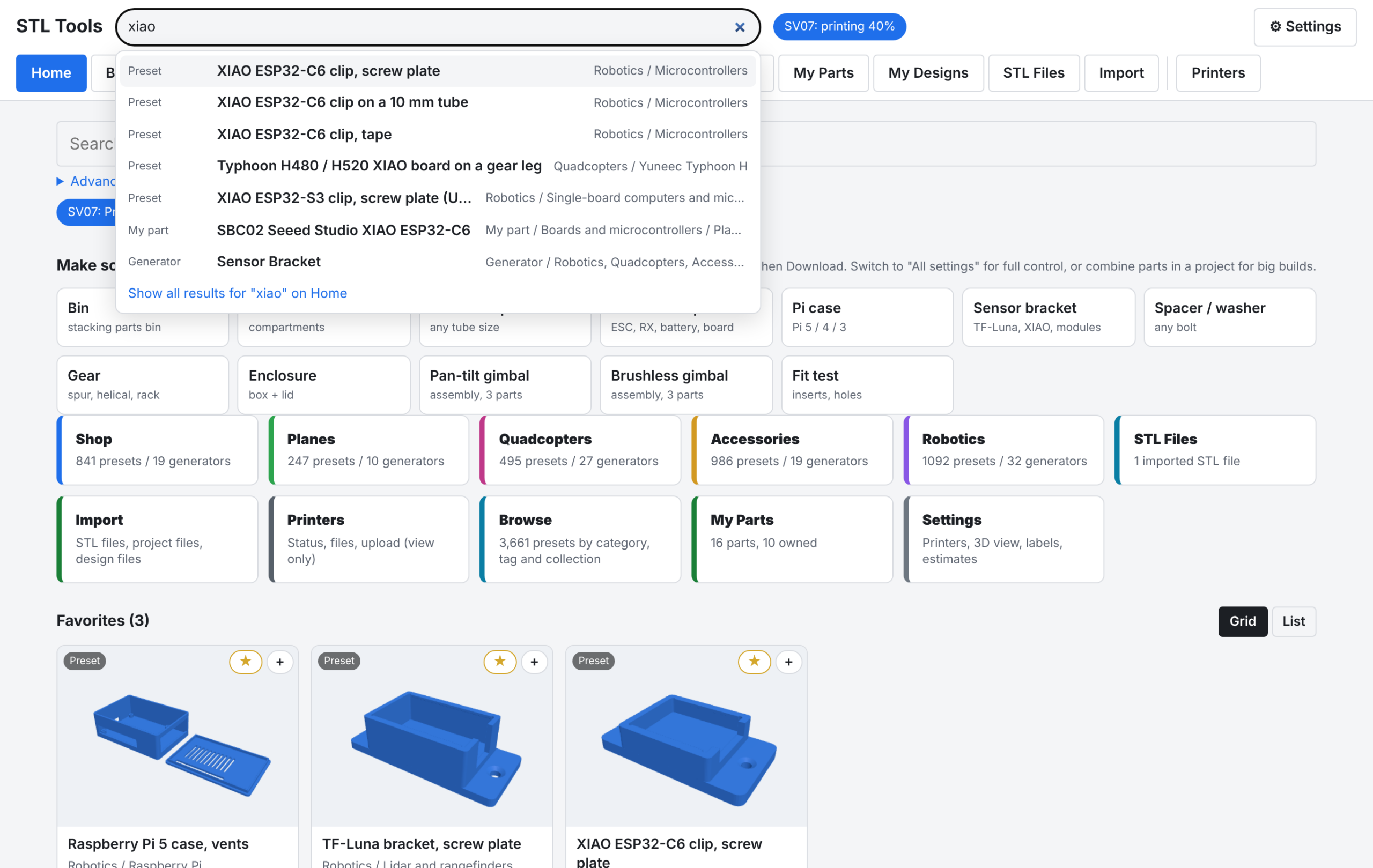
- Browse and organize. Filter everything by type, tab, category, generator, tags, size series, measuring status, and your own Collections. Favorites, and global search (
/) with a query syntax (tubeOD:16,teeth>=30,tag:esc). - Assemblies. Multi-part designs shown put together or as a print plate: servo pan-tilt gimbal, brushless 2-axis gimbal frame, drawer unit. Projects can place any parts together in 3D.
- Print estimates. Time, grams, metres, and cost per part and in total, plus a bed-fit check, for your printer profile. Sovol SV07 and generic profiles are included; you can add your own.
- Projects. Parts lists with quantities, notes, and printed checkboxes, one-ZIP download with a parts list, export/import between computers.
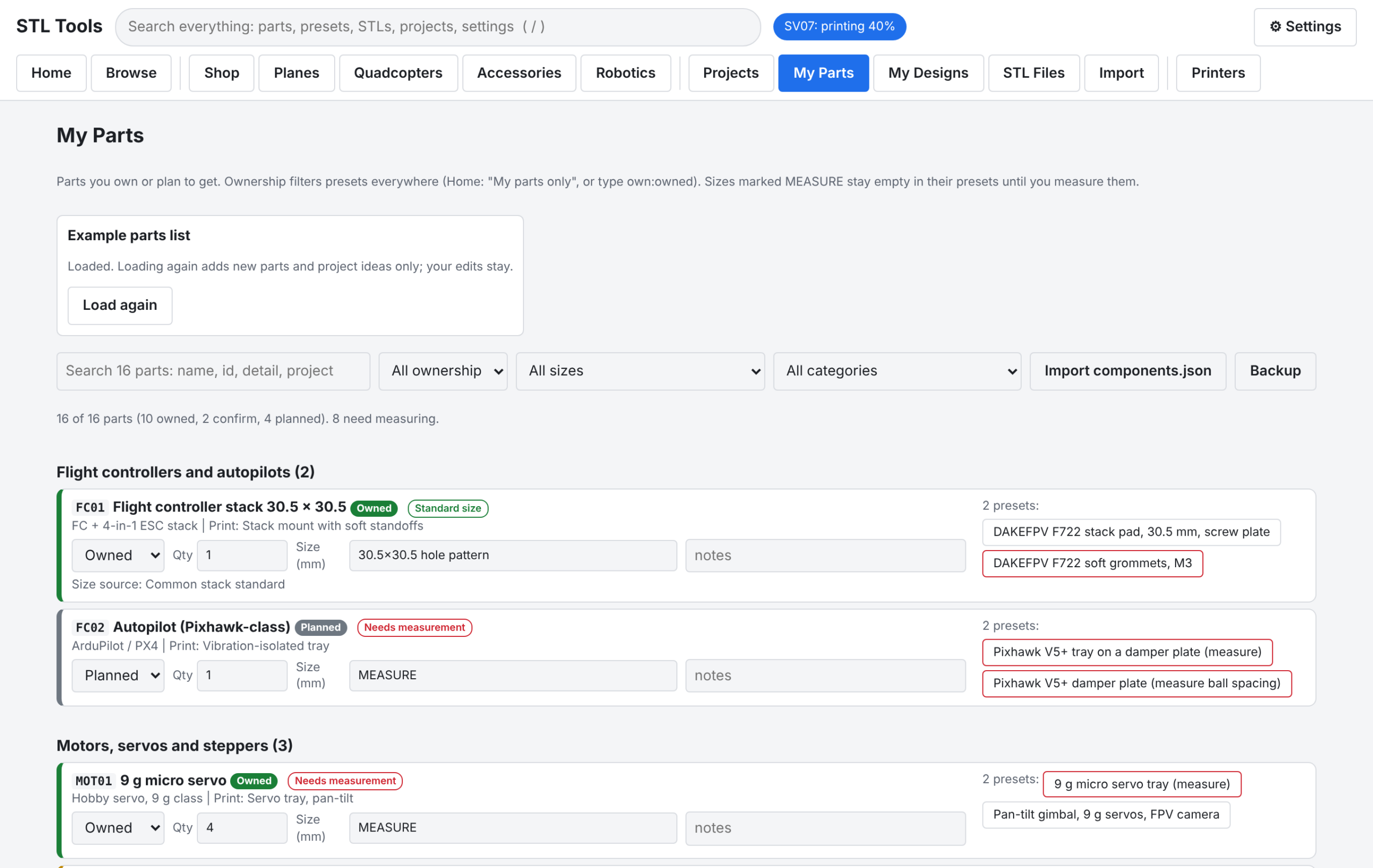
- My Parts. Your own parts list (Owned / Confirm / Planned) with sizes and “needs measurement” flags; filter presets to what you own. Start from the example list or import your own
components.json. - No guessed sizes. Sizes nobody measured stay empty, and Generate waits until you type them. Datasheet values are highlighted to check.
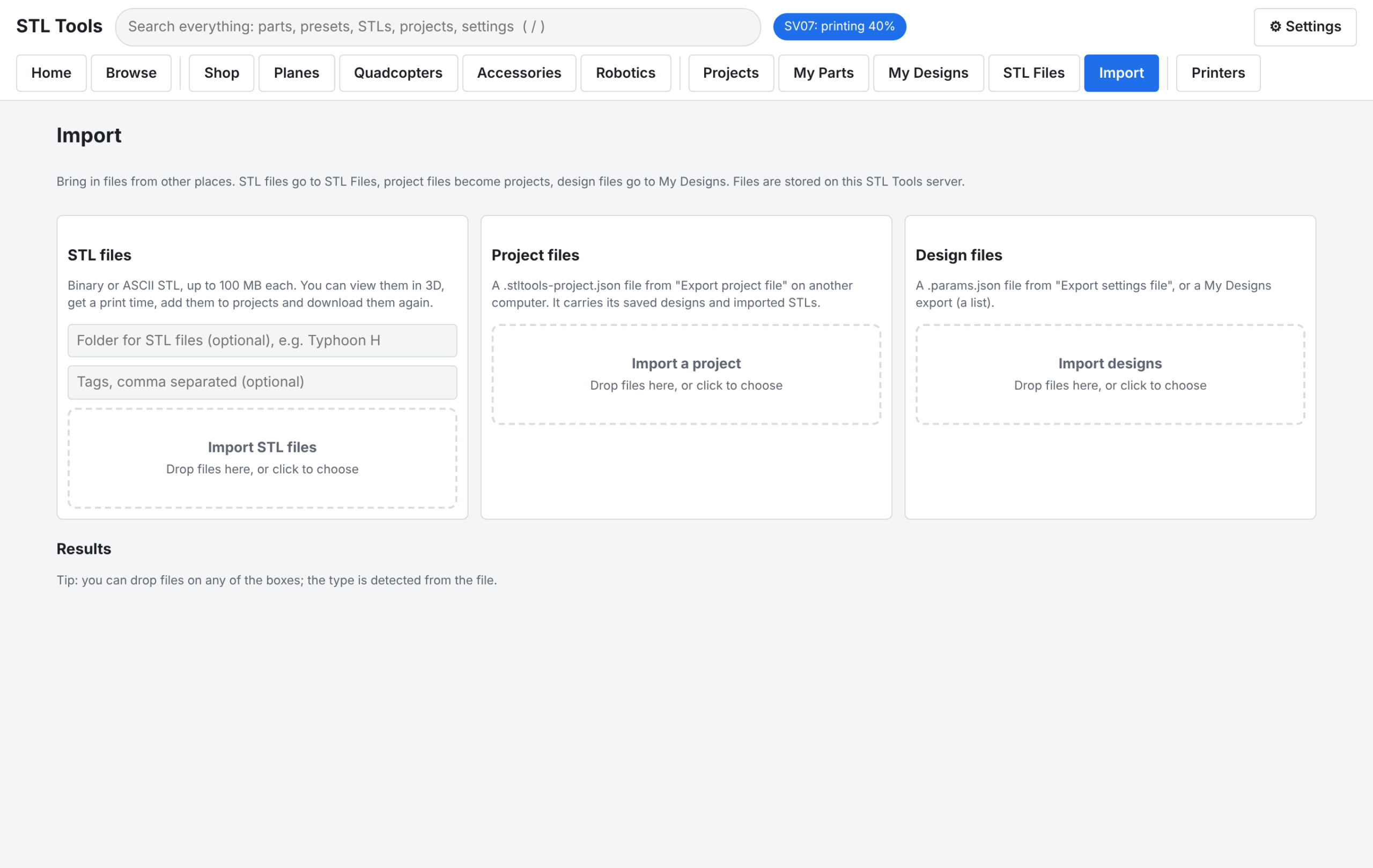
- STL Files. Import STL files you already have: view, estimate, tag, add to projects.
- Printers (view only). Status, temperatures, progress, files, history, and webcam of Klipper / Moonraker printers (Mainsail, Fluidd, Sovol SV07) on your LAN, plus G-code upload that never starts a print. No control endpoints exist in this release.
- CLI and API.
stltools genandstltools presetfor scripts; an HTTP API for everything the UI does.
Units are millimeters, because slicers read STL as mm. All parts print without supports, each in its print orientation.
Designer: type a size, watch it rebuild
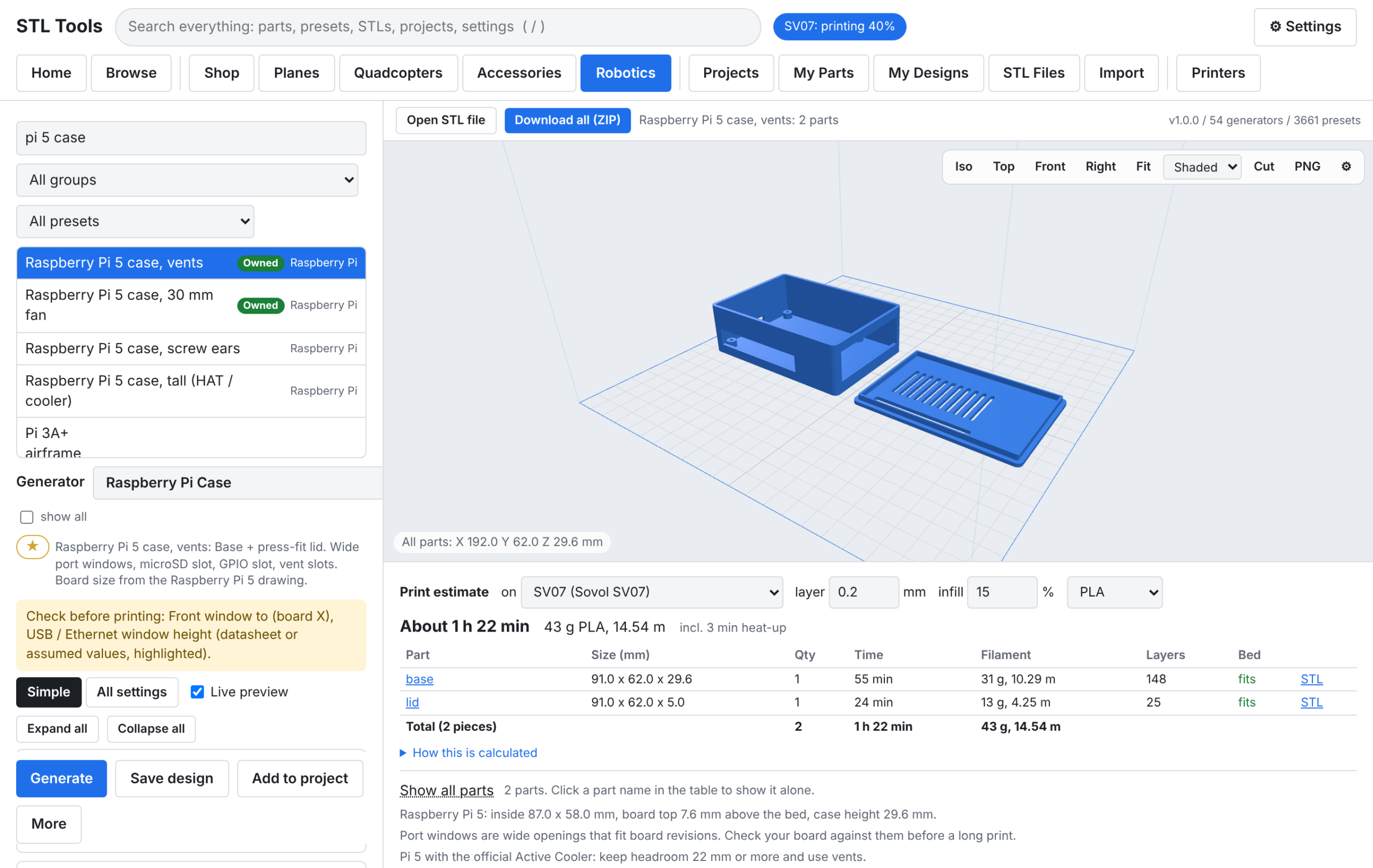
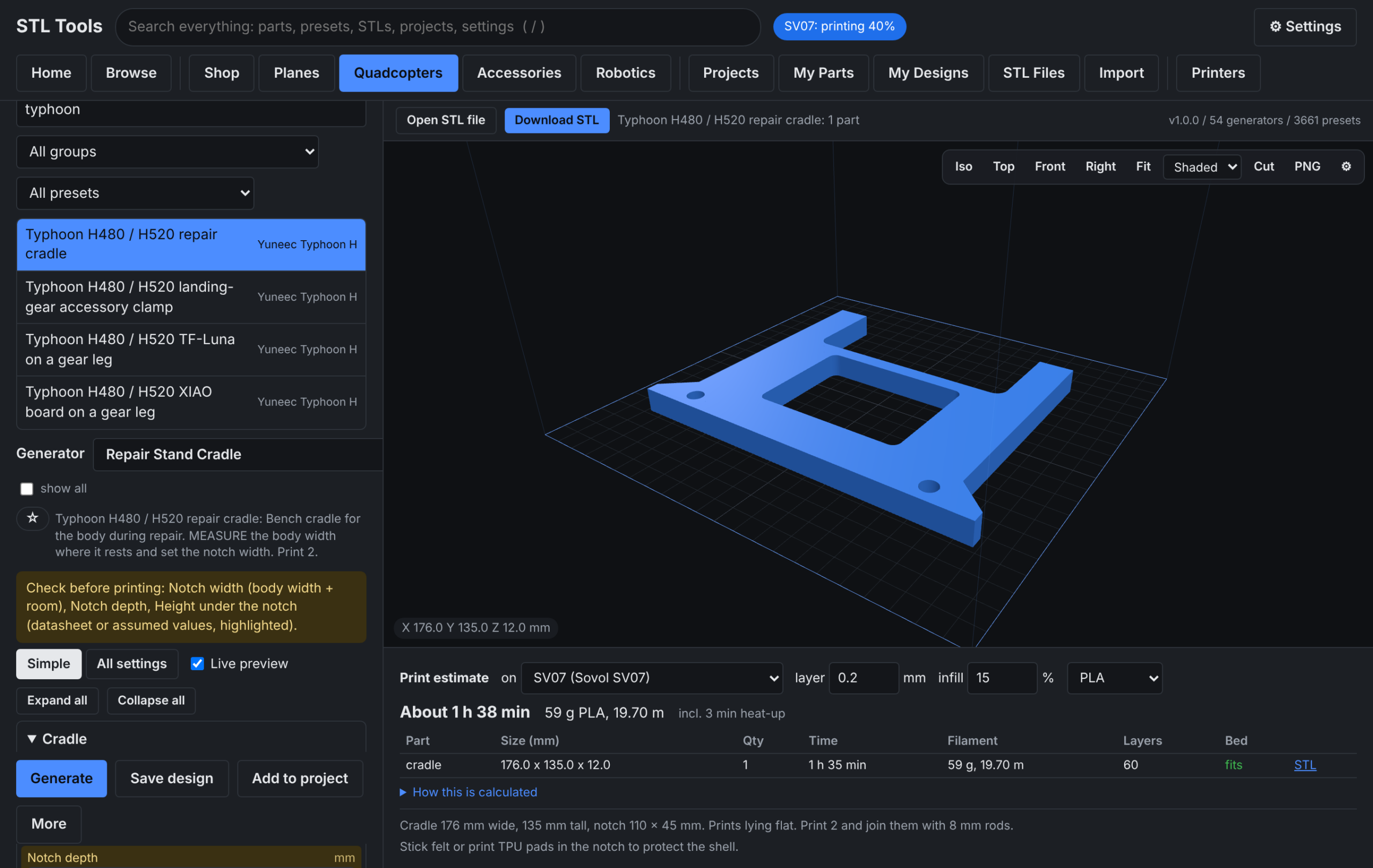
The Pi 5 case above is a good example of the workflow: set the sizes, check the live 3D view and the per-part time and filament estimate, download the STL.
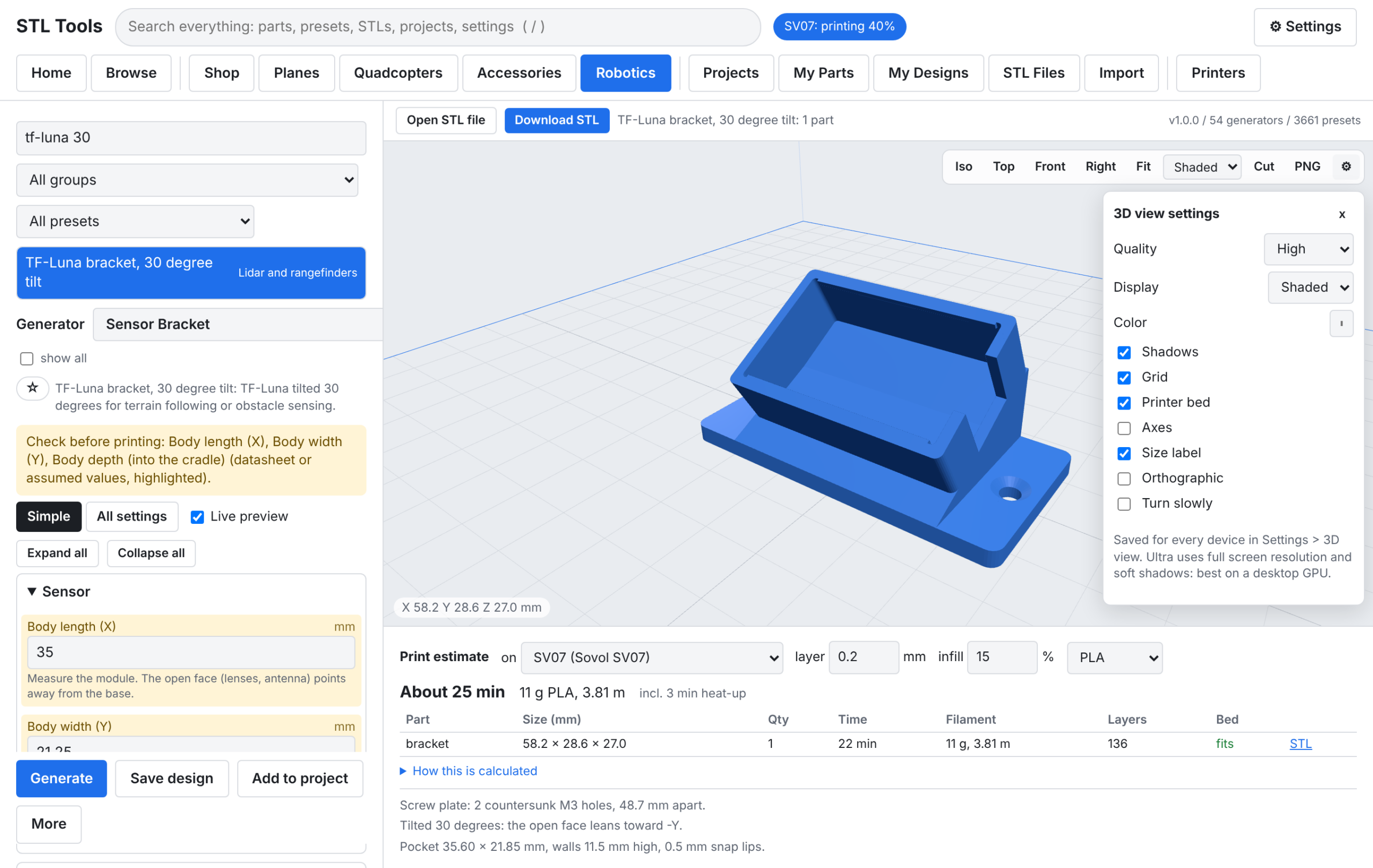
Datasheet sizes are flagged for checking instead of silently trusted, and the 3D view has its own settings (shaded / edges / wireframe / x-ray, layer cut, bed outline, PNG export).

Unmeasured sizes stay empty. The app will not invent a dimension for a part that has to fit real hardware.
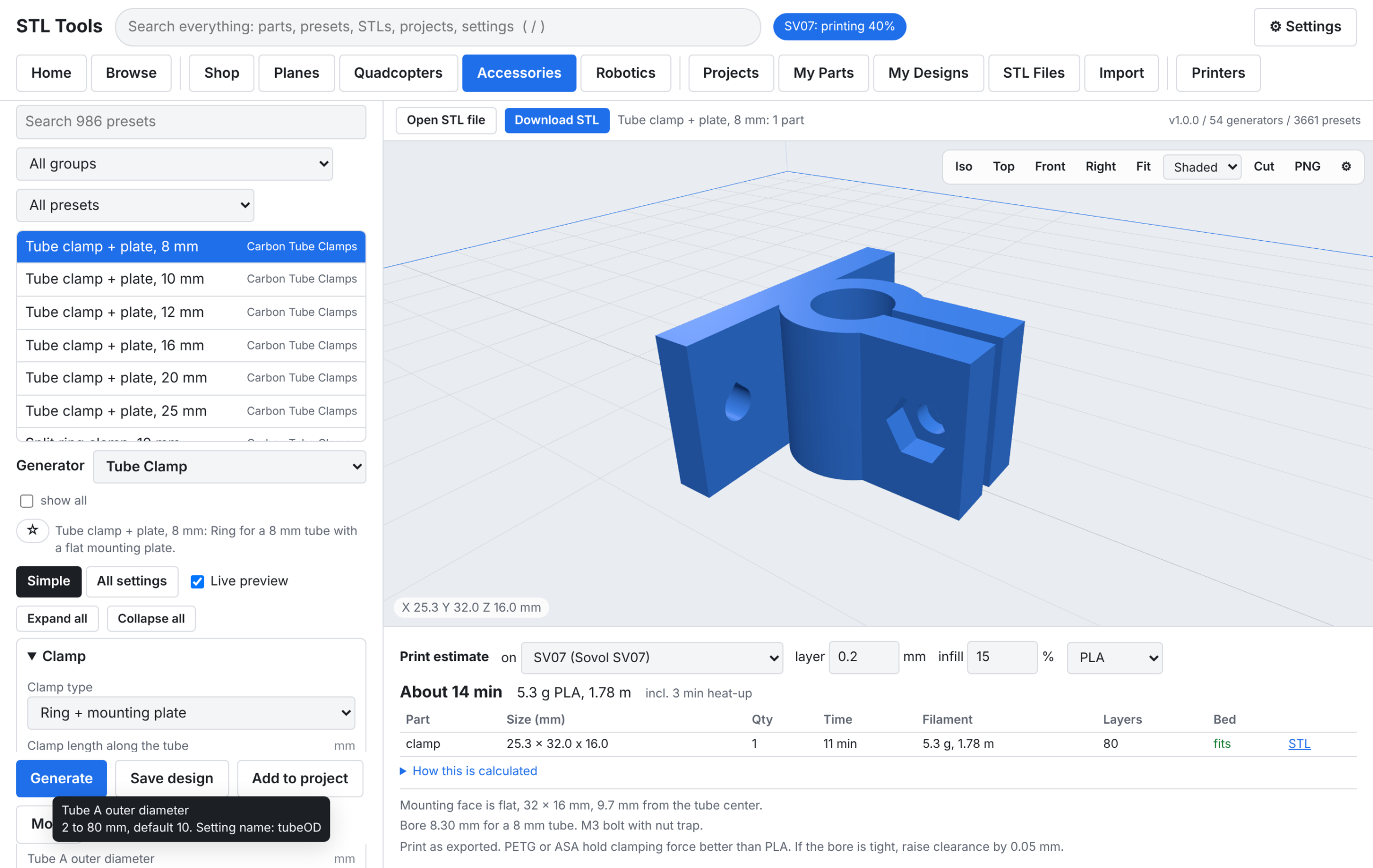
Every setting has a tooltip with its range, default, and setting name.
Browse 3,661 presets, or search for exactly what you need

What it makes
54 generators, grouped by tab. Every size is a parameter: tube OD and ID, clearances, wall thickness, bolt size (M2 to M5), hole patterns, angles.
- Shop (841 presets): drawer unit (assembly), spool holder, drill guide, stacking bins, parts box, holder block, hook, tool rack, label card, fit-test coupons for heat-set inserts, holes, and press fits.
- Planes (247): RC wing (wingspan, chords, sweep, washout, spar tubes, ailerons / elevator / rudder cut as separate parts, servo pocket, wire channel), control horn, servo mount, pin hinge, firewall mount, fuselage former, RC wheel.
- Quadcopters (495): printed drone arms, multirotor frames (3 to 8 arms), motor mounts, prop guards, landing legs, repair-stand bench cradles, plus mounts for ESCs, receivers, VTX, flight controllers, GPS posts, batteries, lights, and wires. Yuneec Typhoon H480 / H520 bench and gear-leg parts are in there too (measure first).
- Accessories (986): cell holders (18650 / 21700 / 26650 / AA / AAA), tube clamps (split, mount plate, saddle, parallel, cross, snap-on, two-piece, collar), tube joints, tube caps, spacers, GPS masts, antenna mounts, camera mounts, FC adapters, soft grommets, damper plates.
- Robotics (1,092): shaft supports, servo and brushless gimbals (assemblies), gears (spur, helical, herringbone, rack), GT2-style pulleys, NEMA stepper mounts, bearing blocks, shaft couplers, link bars, knobs, enclosures, Raspberry Pi cases, sensor brackets (TF-Luna, TFmini), lidar mounts, extrusion brackets, motor clamps.
Assemblies and projects
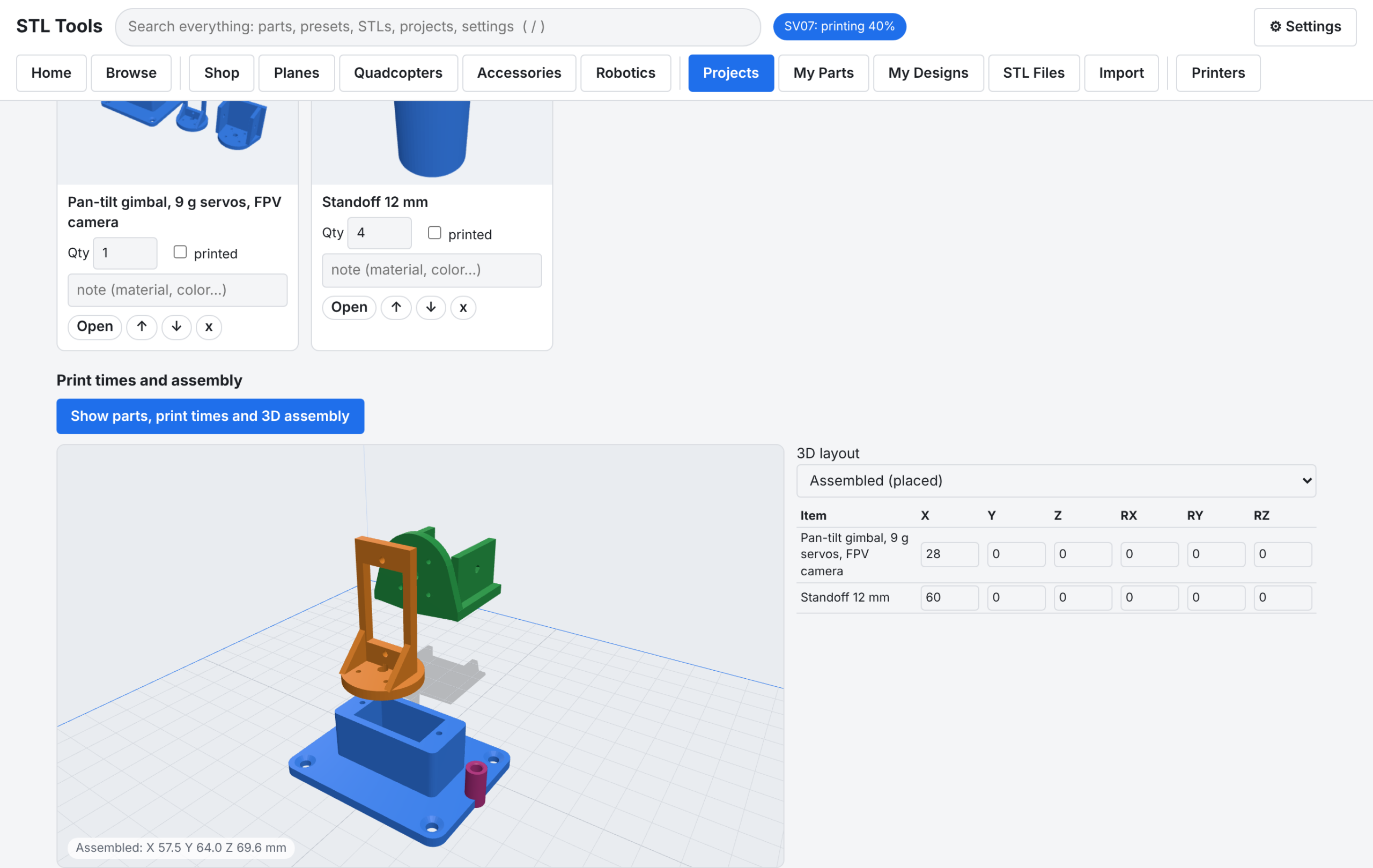
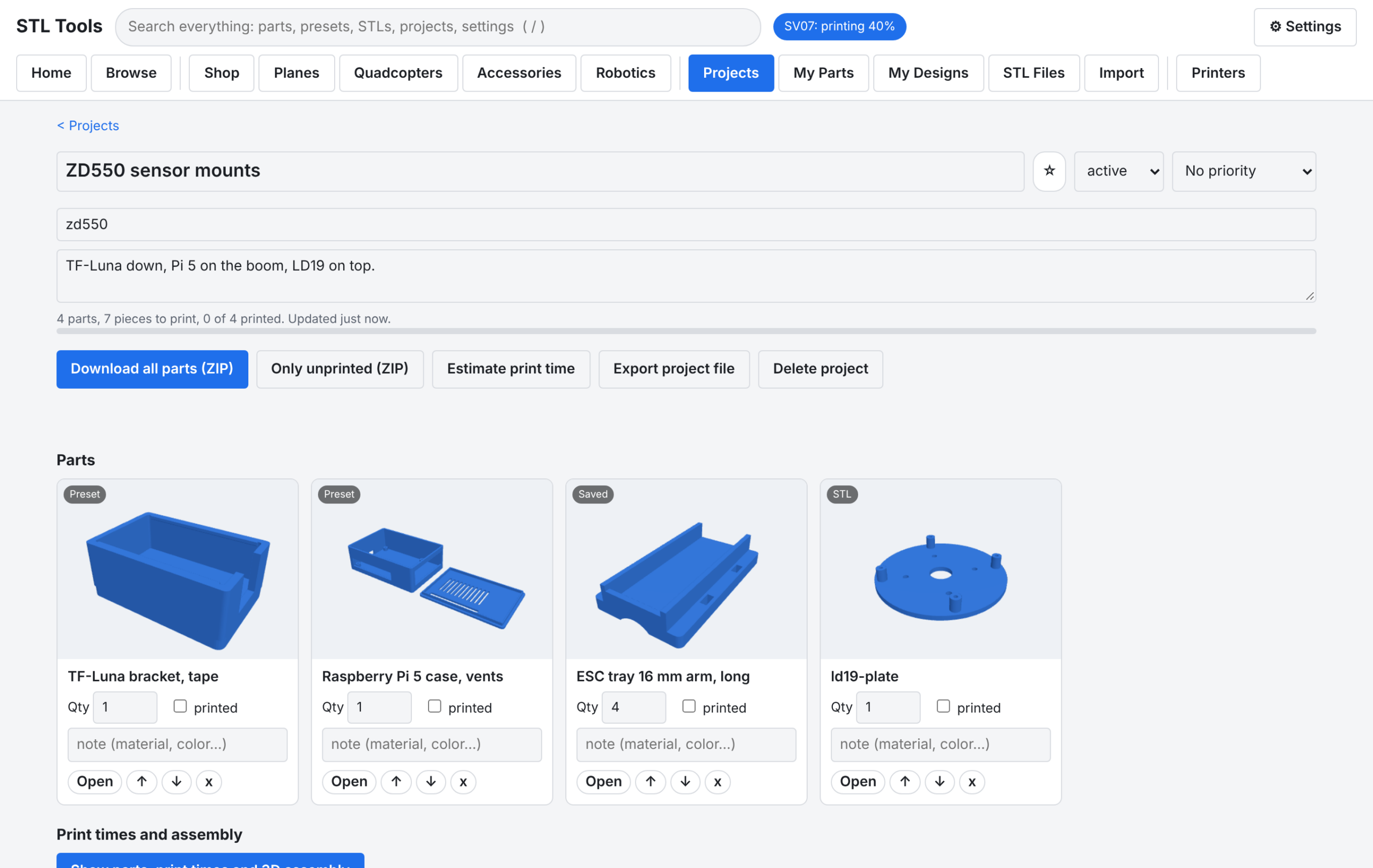
Assemblies show parts put together, with time and grams per part. Projects hold parts lists with quantities, and export everything as one ZIP with a parts list.
Printers: view-only Klipper monitoring
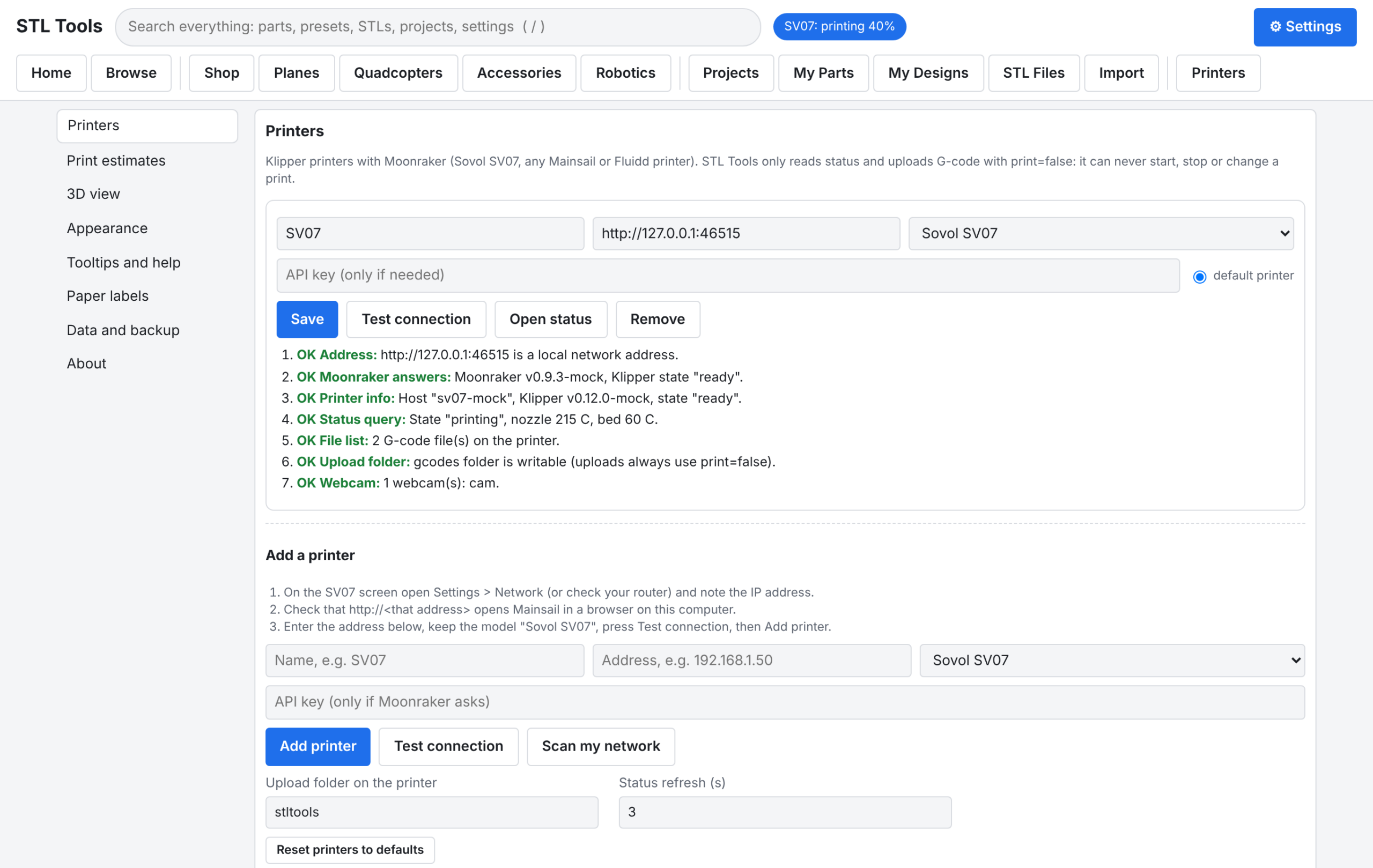

The Printers tab talks to Moonraker over your LAN: state, progress, layer, print time, time left, filament used, nozzle and bed temperatures, G-code file list with thumbnails, print history, and webcam snapshots. G-code upload always sends print=false. In v1.0.1 this is view-only by design: there is no start, pause, resume, cancel, or G-code send. Estimates can use your printer’s own Klipper limits.
Import, dark mode
Download and run v1.0.1
Open the v1.0.1 release and download the file for your computer. Each desktop package includes Node.js 22.12.0, so nothing else needs installing.
- Windows 10/11 (64-bit):
stltools-1.0.1-windows-x64.zip - Mac, Apple chip (M1–M4):
stltools-1.0.1-macos-arm64.tar.gz - Mac, Intel chip:
stltools-1.0.1-macos-x64.tar.gz - Linux PC (64-bit):
stltools-1.0.1-linux-x64.tar.gz - Raspberry Pi 4 / 5, 64-bit OS:
stltools-1.0.1-linux-arm64.tar.gz - Raspberry Pi, 32-bit OS:
stltools-1.0.1-linux-armv7l.tar.gz - Any system with Node.js 18+ already installed:
stltools-1.0.1-any-os.zip
Unpack it and read README-FIRST.txt. Start it with Start STL Tools.bat (Windows), STL Tools.app (macOS), or ./start.sh (Linux / Pi). On Home, press a Make something button (for example Tube clamp), set the sizes, press Download STL. Verify a download by comparing its SHA-256 against SHA256SUMS.txt. Full steps: docs/INSTALL.md.
With Node.js 18+ already installed, the npm package is the quickest way:
npm install -g https://github.com/opsecfreak/STLTools/releases/latest/download/stltools-1.0.1.tgz
stltools app
Why this matters for GPS-denied builds
GPS-denied navigation is a sensor-mounting problem as much as a software problem. A visual-inertial odometry stack needs a camera rigidly mounted with a known offset from the IMU. A lidar SLAM setup needs a level, vibration-isolated lidar plate. Optical flow needs a downward sensor with a clear view and a rangefinder beside it. Every one of those is a printed bracket, and every one has to fit the exact airframe, tube, and board you are flying.
That is what STLTools is for on a build like this. The generators cover the parts a GPS-denied stack bolts onto: GPS masts, lidar mounts, sensor brackets (TF-Luna, TFmini, XIAO boards), Raspberry Pi cases for the companion computer, component mounts for flight controllers, ESCs, and receivers, antenna mounts, and camera mounts. Type in the measured sizes, print the bracket, and the sensor goes where the estimator thinks it is. The “no guessed sizes” rule matters here: a VIO camera mounted 5 mm from where the calibration file says it is will cost you more debugging time than the print ever saved.
Further reading: GPS-denied navigation
- GPS-Denied Drone Navigation: How UAVs Fly Without Satellite Signals in 2026
- Vision-Based UAV Navigation: Optical Flow, Visual SLAM, and Deep Learning Approaches
- ArduPilot Optical Flow: Setting Up GPS-Denied Indoor Navigation on Pixhawk
- Shield AI Hivemind: How AI-Powered Drone Swarms Operate Without GPS or Radio Control
- Single-Operator Drone Swarm Control: Human-Machine Teaming in 2026
Elsewhere:
- PX4 Guide: Visual Inertial Odometry (VIO) — configuring PX4 and a companion computer for VIO, including the EKF2 external-vision fusion settings.
- How Drones Navigate Without GPS: A Builder’s Guide to Visual SLAM in 2026 (HackerNoon) — VSLAM building blocks, algorithm families, and why most off-the-shelf drones fall back to hover or return-to-home when GPS drops.
- How Drones Fly Without GPS: The Technology Explained (Analytics Insight) — IMU dead reckoning, VIO, SLAM, and lidar sensor fusion in plain language.
- Can Drones Fly Indoors Without GPS? Optical Flow, VIO and More — indoor alternatives compared, including ArduPilot’s rule that GPS does not work indoors and needs to be disabled.
Links
- Repo: github.com/opsecfreak/STLTools
- Public release v1.0.1: github.com/opsecfreak/STLTools/releases/tag/v1.0.1
- Install guide: docs/INSTALL.md
- Printer setup: docs/PRINTERS.md
- Changelog: CHANGELOG.md